OpenClaw has been on fire for months. Unlike ChatGPT — which is just a chat window — OpenClaw is an AI agent that reads your files, executes your commands, and responds to messages on your behalf. It’s a digital double that lives on your server, on call 24/7.
The question is: how do you deploy it without breaking the bank? And which model gives you the best bang for your buck?
After three months of hands-on use, here’s my answer.
Choosing a Server: What You Pay, What You Get
OpenClaw needs a machine that’s always online. Local deployment works, but your laptop goes to sleep and you can’t reach it when you’re away. A cloud VPS is the better choice.
Option 1: Hetzner (Best Value Globally)
If you don’t mind a fully English dashboard, Hetzner offers the best price-to-performance ratio right now.
Recommended: CX22 (2 vCPU, 4GB RAM, 40GB SSD)
Price: €3.79/month ($4/month)
Hetzner gives you solid hardware, stable networking, and zero artificial restrictions. No one-click OpenClaw image though — you’ll need to install Docker and OpenClaw manually. But that’s literally three commands.
Option 2: Tencent Cloud Lighthouse (Best for Chinese Users)
Tencent Cloud partnered with OpenClaw early on and offers a dedicated “Lobster Image” — buy the server, OpenClaw is pre-installed.
Recommended: 2 vCPU, 2GB RAM, overseas region (Singapore/Hong Kong)
Price: ~$14/year (promotional pricing)
Always pick the overseas region. Servers inside mainland China have trouble accessing GitHub, Docker Hub, and AI model APIs without additional proxy setup.
Option 3: Alibaba Cloud ECS
Similar one-click OpenClaw image available. Same deal: pick overseas region, 2C2G minimum.
Price: ~$10-14/year for new users
Option 4: Oracle Always Free (Zero Cost)
Oracle Cloud’s free tier is absurdly generous: 4 ARM CPUs, 24GB RAM — more than enough for OpenClaw.
Price: $0/month
The catch: registration requires credit card verification, and Oracle occasionally reclaims “idle” free instances. For the tinkerers.
Comparison
| Provider | Specs | Annual Cost | Best For |
|---|---|---|---|
| Tencent Cloud | 2C2G | ~$14 | Chinese users, one-click setup |
| Alibaba Cloud | 2C2G | ~$14 | Existing Alibaba users |
| Hetzner CX22 | 2C4G | ~$48 | Hardware quality, no restrictions |
| Oracle Free | 4C24G | $0 | Tech enthusiasts, zero budget |
Oracle’s “always free” has a counterintuitive detail: people worry about instance reclamation, but Oracle primarily reclaims long-idle instances. OpenClaw itself generates steady load (heartbeat, cron jobs), making it less likely to be flagged as idle — register once, and long-term stability is better than you’d expect.
The rest of this guide uses Hetzner as an example. Other platforms follow the same pattern.
Installing OpenClaw
On Tencent Cloud / Alibaba Cloud
Select the OpenClaw application image when purchasing. After boot, use SSH local forwarding to access the admin panel (don’t expose port 18789 directly):
ssh -N -L 18789:127.0.0.1:18789 root@<public-ip>Then open http://localhost:18789 in your browser.
Manual Install (Any Linux VPS)
# SSH into your server, then:
curl -fsSL https://openclaw.ai/install.sh | bash
Don’t Forget the Firewall
Most common beginner mistake: server is running, but the browser can’t reach the admin panel. Nine times out of ten, the security group rules aren’t configured.
Open these ports in your cloud firewall:
| Port | Purpose |
|---|---|
| 18789 | OpenClaw admin panel (security: don’t expose publicly, see below) |
| 443 | HTTPS (webhook callbacks) |
| 22 | SSH management |
Security tip: Port 18789 is the OpenClaw admin panel — exposing it to the public internet hands over full control of your agent. Use SSH local forwarding instead:
ssh -N -L 18789:127.0.0.1:18789 root@your-server-ipThen open
http://localhost:18789in your local browser. Everything goes through an encrypted SSH tunnel — no need to open port 18789 at all.
Choosing a Model: This Matters More Than the Server
Server costs are fixed — a hundred bucks a year at most. But model costs scale with usage. Pick the wrong model and your API bill can easily eclipse your server costs within a week.
I’ve tested seven or eight models over the past three months. The conclusion is clear:
DeepSeek V4 Flash is the most cost-effective model for running OpenClaw. Period.
Not because it’s the strongest. Because it hits the sweet spot between “good enough” and “dirt cheap.”
DeepSeek V4 Flash: Technical Specs
Released April 2026, the DeepSeek V4 family:
| V4 Flash | V4 Pro | |
|---|---|---|
| Total parameters | 284B | 1.6T |
| Active parameters | 13B | 49B |
| Architecture | MoE (Mixture of Experts) | MoE |
| Context window | 1 million tokens | 1 million tokens |
| Positioning | Speed, throughput | Max reasoning, flagship |
V4 Flash is MoE architecture at its finest — 284B total parameters for knowledge breadth, but only 13B activated per inference for speed and low cost. That 1-million-token context window is ridiculous: you can throw an entire technical book at it and it’ll handle it.
Pricing: How Much Do You Save?
Raw numbers (USD per million tokens):
| Model | Input | Output | Cached Input |
|---|---|---|---|
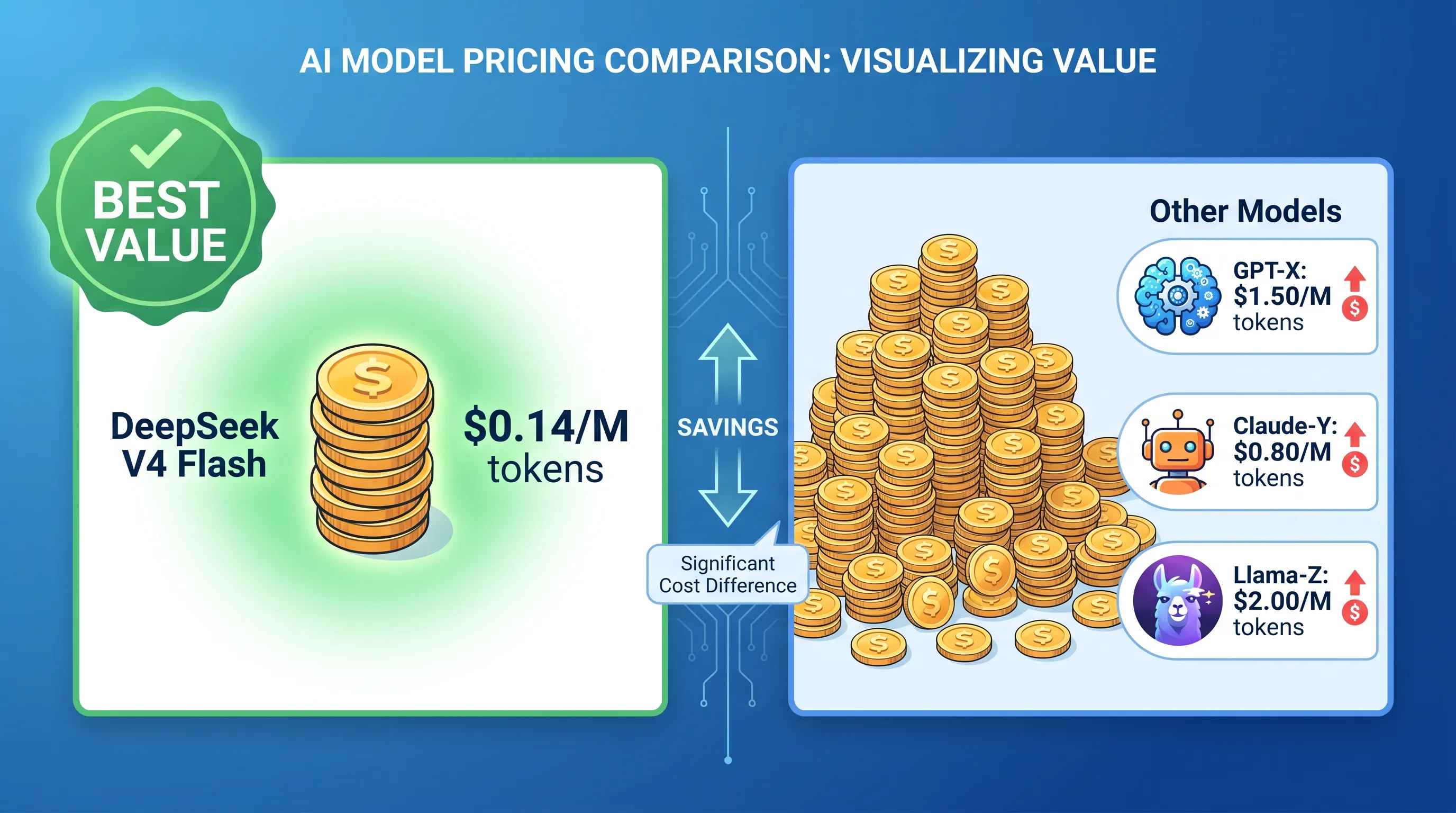
| DeepSeek V4 Flash | $0.14 | $0.28 | $0.0028 |
| DeepSeek V4 Pro | $1.74 | $3.48 | — |
| Claude Sonnet 4 | $3.00 | $15.00 | $0.75 |
| GPT-4o | $2.50 | $10.00 | $1.25 |
| Gemini 2.5 Flash | $0.15 | $0.60 | $0.04 |
Let’s do the math. Moderate OpenClaw user — daily queries, code assistance, message replies — averaging 500K tokens/day (including context), 3:1 input-to-output ratio:
- DeepSeek V4 Flash: 375K × $0.14 + 125K × $0.28 ≈ $0.088/day, $2.64/month
- Claude Sonnet 4: 375K × $3.00 + 125K × $15.00 ≈ $3.00/day, $90/month
- GPT-4o: 375K × $2.50 + 125K × $10.00 ≈ $2.19/day, $65/month
DeepSeek V4 Flash costs 1/34th of Claude Sonnet 4 and 1/25th of GPT-4o.
And that cached input pricing ($0.0028/million tokens) is practically free — when you reuse the same system prompts and context, most tokens hit the cache, driving costs even lower.
You might notice Gemini 2.5 Flash ($0.15/$0.60) has nearly the same input price as DeepSeek. So why not Gemini? Two reasons: first, DeepSeek’s output price is half of Gemini’s ($0.28 vs $0.60) — and OpenClaw agents produce plenty of output. Second, cache pricing differs by 14x ($0.0028 vs $0.04) — OpenClaw reuses system prompts and skill definitions with every inference, so cache hit rates are high, and this gap widens significantly in practice.
A quick note on GLM 4.5 Air (free). Can you use it? Sure. Reasoning ability and context window are limited — if you’re just kicking the tires, start here at zero cost. But if you want your agent to actually solve real problems — research, code, make decisions — the free experience will have you reaching for an upgrade fast. DeepSeek V4 Flash is $2.64/month. Not worth suffering through a mediocre model to save two bucks.
Don’t Forget the Token Black Hole: Heartbeat
Your OpenClaw is running. Server costs are fixed, model costs are under control. But there’s a hidden money pit — Heartbeat.
OpenClaw runs a heartbeat every 30 minutes by default: the agent wakes up, reads HEARTBEAT.md to check for anything needing attention (email, calendar, system health), and replies HEARTBEAT_OK if all is clear before going back to sleep. Sounds thoughtful. But there’s a fatal default — heartbeats run in the main session, carrying full conversation history.
If you’ve been chatting for hundreds of turns, each heartbeat sends tens of thousands of history tokens to the model. Do the math:
Heartbeat frequency: every 30 min → 48 times/day
Tokens per run: conversation history + system prompt ≈ 20,000–50,000 tokens
Daily consumption: 48 × 35,000 ≈ 1,680,000 tokens
With DeepSeek V4 Flash: 1.68M × $0.14 ≈ $0.24/day → $7/month
Heartbeat alone burns 1.68 million tokens per day — triple the “500K/day” estimate for a moderate user. Your actual API bill could be far higher than the $2.64/month you planned for.
The fix? Three lines of config:
{
  agents: {
    defaults: {
      heartbeat: {
        every: "30m",
        target: "last",
        isolatedSession: true,   // 🔑 Fresh session, no conversation history
        lightContext: true,       // 🔑 Only load HEARTBEAT.md
        activeHours: { start: "08:00", end: "23:00", timezone: "America/New_York" },
        model: "deepseek/deepseek-v4-flash",  // Cheap model for heartbeat only
      },
    },
  },
}
isolatedSession: true is the key — each heartbeat creates a fresh session without history. Combined with lightContext: true (loads only HEARTBEAT.md), per-heartbeat token consumption drops from ~35,000 to ~3,500 — that’s a 10x reduction.
Optimized heartbeat cost:
Daily consumption: 48 × 3,500 ≈ 168,000 tokens
Daily cost: 0.168M × $0.14 ≈ $0.023/day
Monthly cost: $0.023 × 30 ≈ $0.70/month
From $7/month down to under $1/month. If you don’t need background patrol, just set every: "0m" to disable heartbeat entirely and save that last dollar.
For more on heartbeat — how it differs from Cron, how to write HEARTBEAT.md, and configuring task sub-intervals — see OpenClaw Heartbeat: Teaching Your AI to Patrol Autonomously.
Is It Capable Enough?
Honest answer: V4 Flash won’t beat Claude Opus or V4 Pro on the hardest coding puzzles or mathematical proofs. But for everyday OpenClaw use — understanding your questions, searching the web, writing code snippets, responding to messages, managing your calendar — it’s more than capable.
The 1M context window is the real killer feature. OpenClaw’s system prompt, skill definitions, and user preferences can easily consume tens of thousands of tokens before your first message. Add conversation history and search results, and you quickly see why a large context window matters. With V4 Flash, you basically never worry about it.
Configuring DeepSeek V4 Flash in OpenClaw
Two routes: direct DeepSeek API, or via OpenRouter.
Option 1: DeepSeek API (recommended, cheapest)
{
  models: {
    providers: {
      deepseek: {
        baseUrl: "https://api.deepseek.com",
        apiKey: "sk-xxx",  // From platform.deepseek.com
        api: "openai-completions",
        models: [
          { id: "deepseek-v4-flash", name: "DeepSeek V4 Flash" },
        ],
      },
    },
  },
}
Option 2: OpenRouter (convenient switching)
{
  models: {
    providers: {
      openrouter: {
        baseUrl: "https://openrouter.ai/api/v1",
        apiKey: "sk-or-v1-xxx",
        models: [
          { id: "deepseek/deepseek-v4-flash", name: "DS V4 Flash" },
        ],
      },
    },
  },
}
DeepSeek API accepts Alipay for top-ups. Minimum deposit is $1 — that’s enough to get started.
Connecting Messaging Channels
Model configured? Now connect OpenClaw to the messaging tools you actually use:
| Platform | Best For | Difficulty |
|---|---|---|
| Telegram | Personal use (top pick) | ⭐ Easy |
| Discord | Communities/Teams | ⭐⭐ Medium |
| Personal use | ⭐⭐ Medium | |
| Slack | Work teams | ⭐⭐ Medium |
Telegram is the easiest choice for personal use — create a bot via @BotFather, grab the token, paste it into OpenClaw’s admin panel, done.
Beyond Single-User: Sharing One Server
Want family or teammates on your OpenClaw server? You don’t need another instance. One Gateway serves multiple users:
- Create independent Agents:
openclaw agents add username - Write per-user SOUL.md: different AI personalities for different people
- Set
dmScope: "per-channel-peer": session isolation - Share skills: common skills in
~/.openclaw/skills, personal ones in each workspace
For the full setup, see my other article: OpenClaw Multi-User Deployment: Isolation, Personalization, and Skill Sharing.
The Bottom Line
Total cost of running OpenClaw:
| Item | Monthly Cost |
|---|---|
| Hetzner CX22 VPS | ~$4 |
| DeepSeek V4 Flash API (daily chat) | ~$2.64 |
| Heartbeat monitoring (optimized) | ~$0.70 |
| Total | ~$7.34/month |
That’s less than a lunch delivery — for a 24/7 AI personal assistant.
And you can go even cheaper: Oracle’s free tier eliminates the server cost entirely, bringing your total to around $2.64/month. Light users can even start with free models like GLM 4.5 Air — literally zero cost to get started.
Keeping a lobster isn’t expensive. You just need to pick the right model. Right now, DeepSeek V4 Flash is exactly that.